
Creating a cozy and inviting home office can make a world of difference in your workday experience. Whether you work remotely full-time, need a quiet spot to handle personal tasks, or simply want a comfortable place to focus, a well-designed office space can boost your motivation and creativity. In this post, we’ll explore practical tips to help you design a home office that feels welcoming and functional without breaking the bank.
Choose the Right Location
The first step in creating a cozy home office is selecting the best spot within your home. Here are some factors to consider:
– Natural Light: Aim for a space with plenty of natural light. Sunlight improves mood and reduces eye strain. A spot near a window can brighten the room and create a pleasant atmosphere.
– Quiet and Privacy: Find an area that offers minimal distractions. If possible, choose a room with a door or a corner away from high-traffic areas.
– Space Considerations: Make sure the space can comfortably fit your desk and chair, as well as room to move around without feeling cramped.
Invest in Comfortable and Ergonomic Furniture
Since you’ll spend hours here, comfort is key. Your furniture should support good posture and allow you to work efficiently.
– Ergonomic Chair: Choose a chair with adjustable height, lumbar support, and good cushioning. You’ll thank yourself for investing in comfort.
– Functional Desk: Select a desk that suits your work needs, with enough surface area for your computer, notebooks, and other essentials. Standing desks or adjustable desks are great options if you like to alternate between sitting and standing.
– Additional Seating: If space allows, include a small lounge chair or ottoman for breaks or reading.
Set the Right Lighting
Lighting plays a critical role in creating a cozy atmosphere and reducing eye fatigue.
– Layer Your Lighting: Use a combination of ambient light (general lighting), task lighting (focused on your work area), and accent lighting (decorative or mood lighting).
– Desk Lamp: A good desk lamp with adjustable brightness and direction helps prevent shadows and glare on your screen or paperwork.
– Warm Bulbs: Opt for warm white light bulbs rather than harsh, cool lighting. Warm lighting gives the space a welcoming and relaxed feel.
Personalize with Color and Decor
Color impacts mood and productivity, so choose a palette that makes the space inviting.
– Soothing Colors: Soft neutrals, pastel shades, and muted tones can create a calm environment. Blues and greens are known to promote focus and reduce stress.
– Accent Elements: Introduce pops of color through cushions, artwork, or a statement rug to add personality without overwhelming the space.
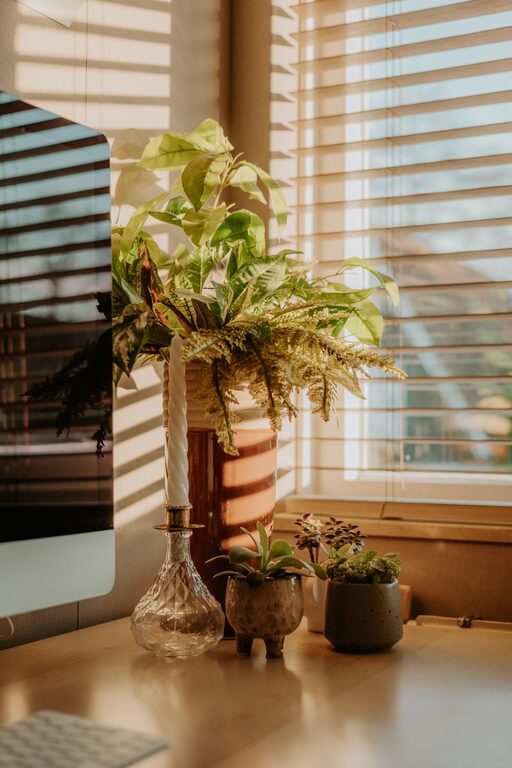
– Plants: Adding greenery helps purify the air and brings life to your office. Small potted plants like succulents or a leafy plant such as a philodendron are easy to care for and visually pleasing.
– Wall Art: Hang inspiring prints, photos, or motivational quotes that resonate with you for a personalized touch.
Organize Efficiently
A clutter-free workspace helps maintain focus and reduces stress.
– Storage Solutions: Use shelves, filing cabinets, or baskets to keep documents, supplies, and equipment organized.
– Cable Management: Use clips or cable covers to keep cords tidy and prevent them from tangling.
– Desk Essentials: Keep only frequently used items on your desk to minimize clutter. Use drawer organizers for smaller supplies like pens, paper clips, and sticky notes.
Utilize Technology Wisely
Technology should support your work, not complicate your space.
– Wireless Devices: Consider wireless keyboards, mice, and headphones to reduce clutter.
– Monitor Setup: Position your monitor at eye level to avoid neck strain. Dual monitors can increase productivity if your work requires multiple screens.
– Quality Headphones or Speakers: Invest in noise-canceling headphones or a good speaker setup to enjoy music or block distractions.
Incorporate Comfort Features
These finishing touches help make your home office a space you want to spend time in.
– Soft Textiles: A cozy throw blanket, a cushioned desk chair, or a plush rug can add warmth and texture.
– Temperature Control: Keep a small fan or space heater nearby to maintain a comfortable temperature.
– Scent: Light a scented candle or use essential oils with calming scents like lavender or eucalyptus to create a soothing ambiance.
Establish Boundaries
To keep your work time productive and your personal life balanced, set clear boundaries.
– Defined Workspace: Physically designate your office area so your brain associates it with work.
– Routine: Develop daily habits like starting with a to-do list and ending by tidying the space. This helps create mental separation between work and relaxation.
– Limit Distractions: Use apps or tools to minimize interruptions and communicate your working hours to others in your household.
Regularly Refresh Your Space
Keeping your office fresh and inspiring prevents burnout.
– Change Layout: Every few months, rearrange your furniture or decor to breathe new life into your office.
– Update Decor: Swap out artwork, plants, or textiles based on the season or your mood.
– Deep Clean: Periodically declutter and clean your workspace thoroughly to maintain a healthy environment.
—
Final Thoughts
Designing a cozy and inviting home office is about balancing comfort, practicality, and personal style. By thoughtfully choosing your location, investing in ergonomic furniture, managing lighting, and adding personal touches, you can create a workspace that enhances your productivity and well-being. Remember, the best home office is one that feels good to you and supports your work habits.
Start small by making one or two changes, and gradually build the office that suits your needs perfectly. Happy decorating!